When choosing the GPU (Graphic Processor Unit) for our notebook, we must think about the real usage we are going to give to the machine. There are two general choices that we will use as start for an easy and comprehensive selection of our GPU, what do we want for our laptops? Integrated or dedicated graphic card?
Integrated: This GPU models are built-in the notebook motherboard, usually the power consumption is really low, as well as the heat generated.
If the use you are going to give to the notebook is limited to administrative tasks, e-mail checking, web surfing, and sporadic movie viewing, you will do it ok with an integrated card, and there is no need to aim for a dedicated GPU, which will cost way higher and raise the temperature and consumption of our laptop. The most important notebook integrated graphic cards producers are Intel, ATI and Nvidia.
Dedicated: Designed for gamers, these graphic cards allow the portable machines to almost match the desktop ones in terms of graphic performance.
The negative side comes in form of high temperatures and excessive power consumption that makes the battery duration decrease critically. To give the reader an idea, while playing a graphically demanding game on an average nine cell battery notebook, the usage time is around one hour max.
In our days, the two major GPU producers are ATI and Nvidia. They are the higher tier and only real options for quality, compatibility and performance. Even though, if we take a more concrete look at the dedicated notebook graphic cards market, Nvidia can be considered going a little bit ahead.
Here comes a brief explanation of how the GPU classification works. Independently on the brand, the models come usually on this form:
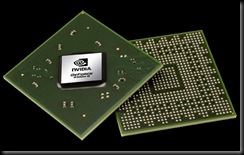
For nVidia, the usual code is SNNNM L being S the number that indicates the generation of the graphic card, the NNNs showing us the model within the series, M meaning Mobile or Mobility, and L the code that tell us specifications of the performance of the GPU.
At this point we must clarify that the generation number is very important and even if the model code is higher in some cases doesn’t mean that the GPU is more powerful, as example, a 6600M GT graphic card will not outperformance an 8400M GT, even if the model number is lower (400 compared with 600) the generations are different (gen 8 against gen 6), and due to the advancement of its architecture the 8400M GT its superior.
For ATI, we can observe the common code is XSNNN L, where X or HD is a common indicator of ATI, S tells us the generation, NNNs are the numbers that define the model, and L is a term that is used to concrete the type of performance.
In both cases, there are common characteristics, like the model classification, from 000 to 400 it’s considered low class or low performance, from 400 to 600/700 ranges it’s the middle class, and 700+ models are considered having high performances.
There is the option to use the SLI technology, which consists on linking two differnt GPUs (SLI for nVidia, Crossfire for ATI) but in our opinion, the performance gain is not considerable, and clearly not worthed the ammount of heat, weight, and power consumption that this will generate.

 With the ability to harness the power of stream processors in 4800 and 4600 series Radeon graphics cards, AMD has released ATI Avivo Video Converter for free. This converter uses the ATI Stream to speed up the video conversion, up to 17x the speed of CPU conversion speed.